Google Calendar Two-Way Sync
Easily add, edit, and delete events from your private Google Calendar directly in Obsidian using OAuth 2.0 authentication.
Verified Integration
Full Calendar Remastered is an officially verified Google integration. You can now connect your accounts directly without creating your own Google Cloud credentials.
Calendars automatically refresh every 5 minutes. To manually refresh calendars, run the FCR Command: refresh calendars or use the command Full Calendar: Revalidate remote calendars.
Power Up with Categories
Google Calendar events fully support Advanced Categories. Use a title like Personal - Doctor to automatically apply your "Personal" color and styling.
Quick Start: Connecting Your Account
- Open Full Calendar Settings → Calendar Sources.
- Click Add Source and select Google Calendar.
- Click Login with Google. This will open your default browser.
- Follow the standard Google sign-in flow.
- Once authorized, select the specific calendars you want to display in Obsidian.
Advanced: Custom Google Cloud Credentials (Optional)
If you prefer to maintain your own OAuth Client ID and Secret for privacy or development reasons, you can enable Custom Credentials in the API and Security Settings.
Step-by-Step Setup Guide
1️⃣ Create a Project in Google Cloud Console
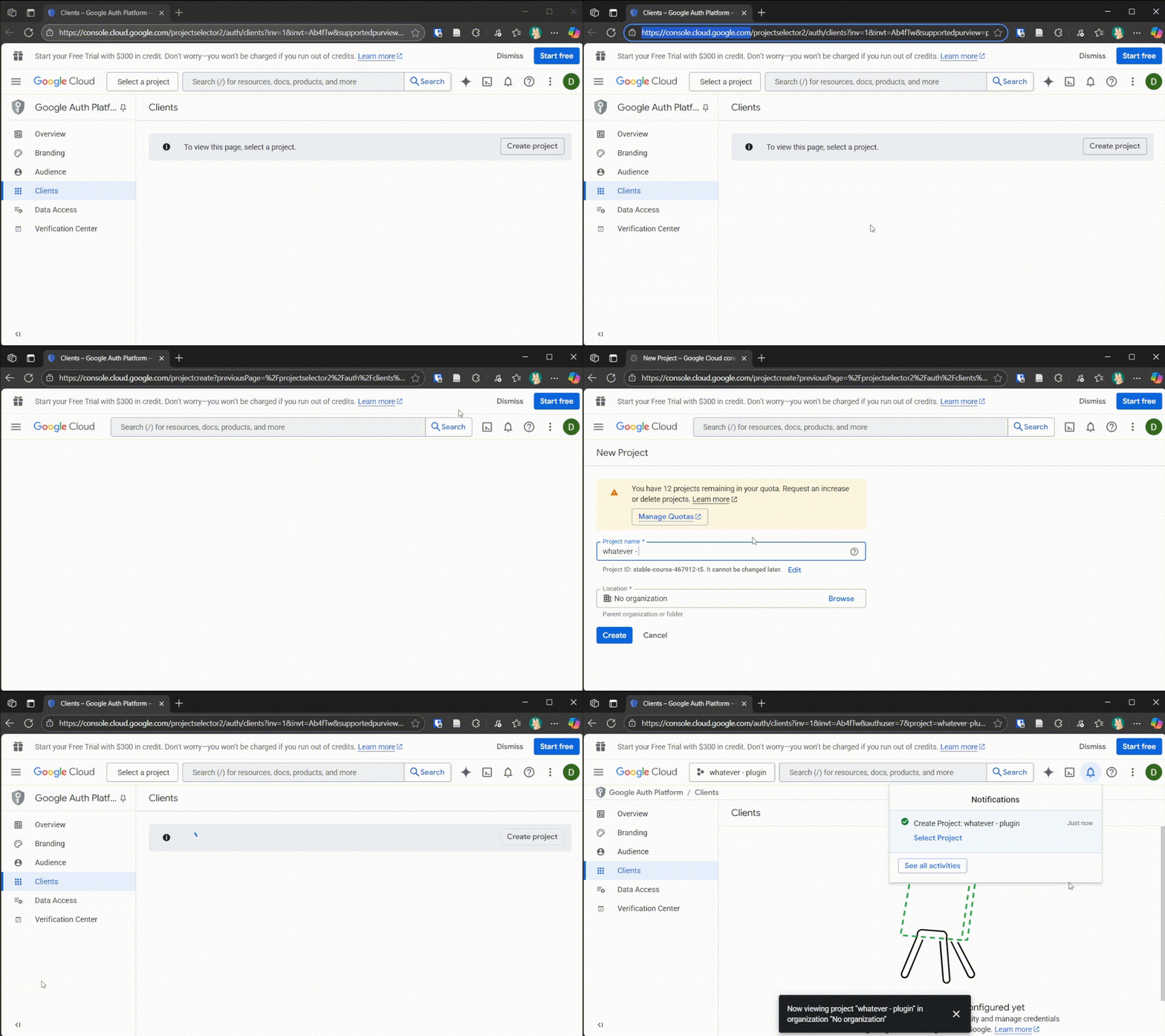
2️⃣ Configure OAuth Consent Screen
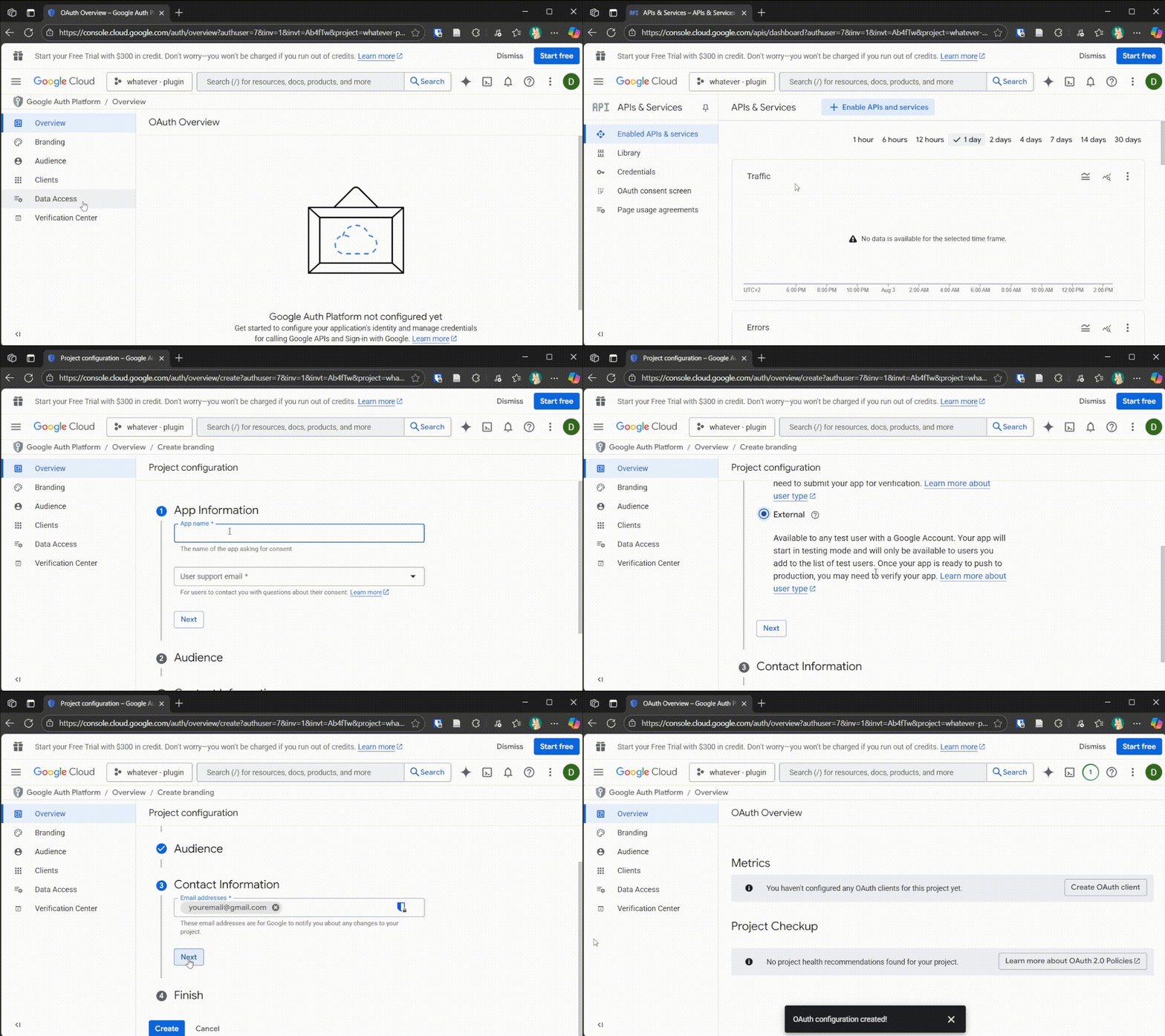
3️⃣ Enable the Google Calendar API
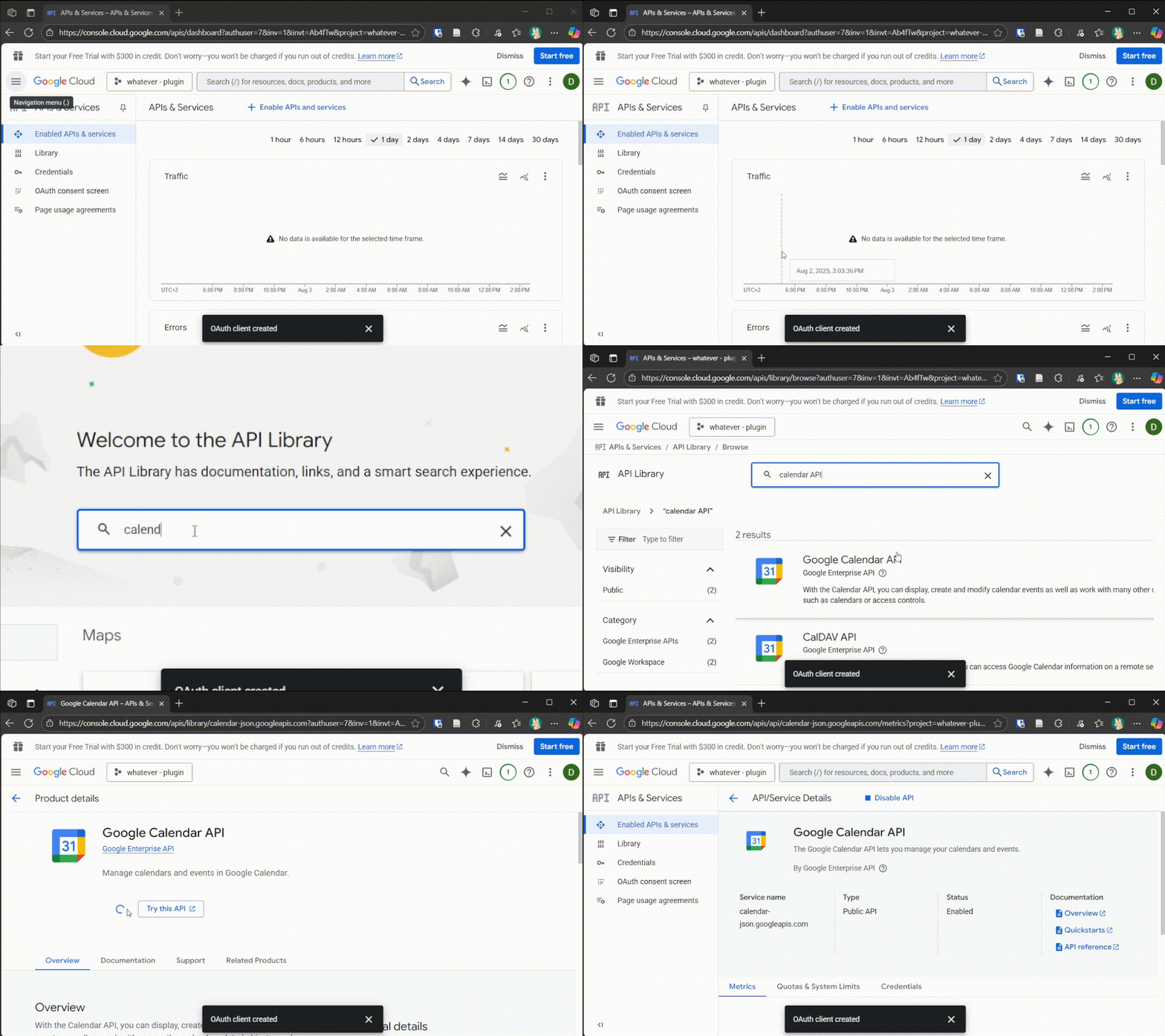
4️⃣ Add Your Google Account as a Test User
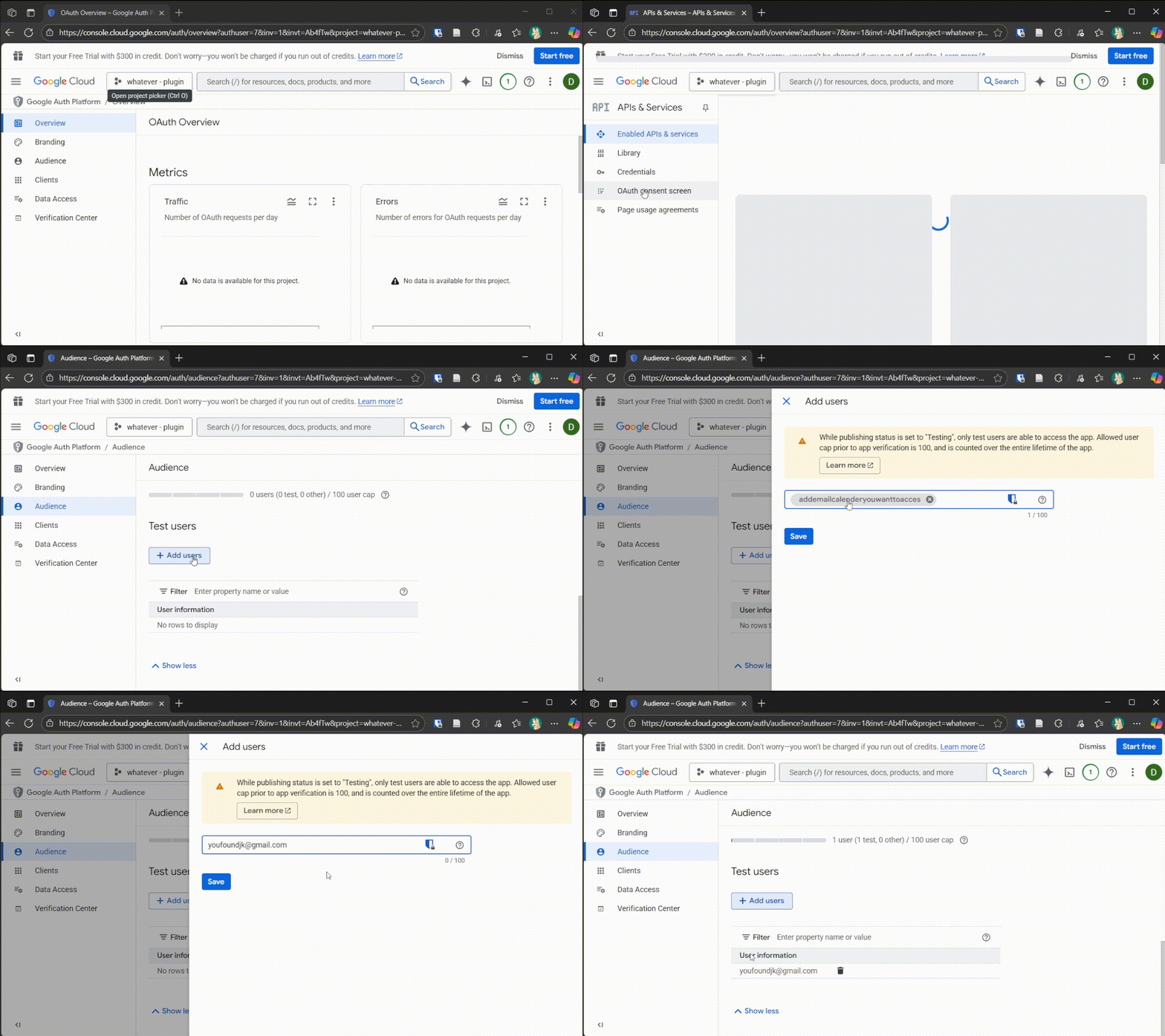
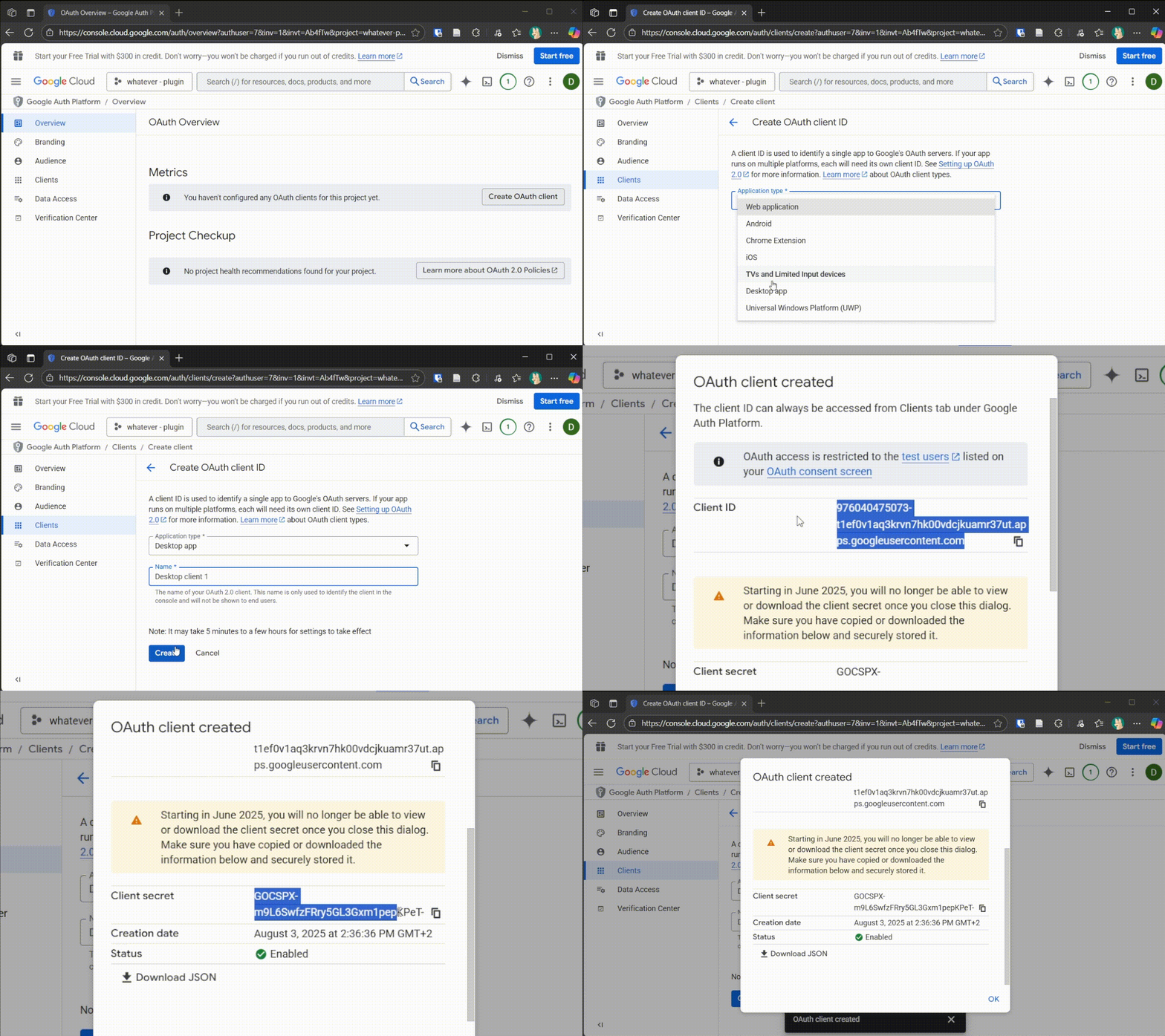
5️⃣ Create OAuth Credentials for a Desktop Client
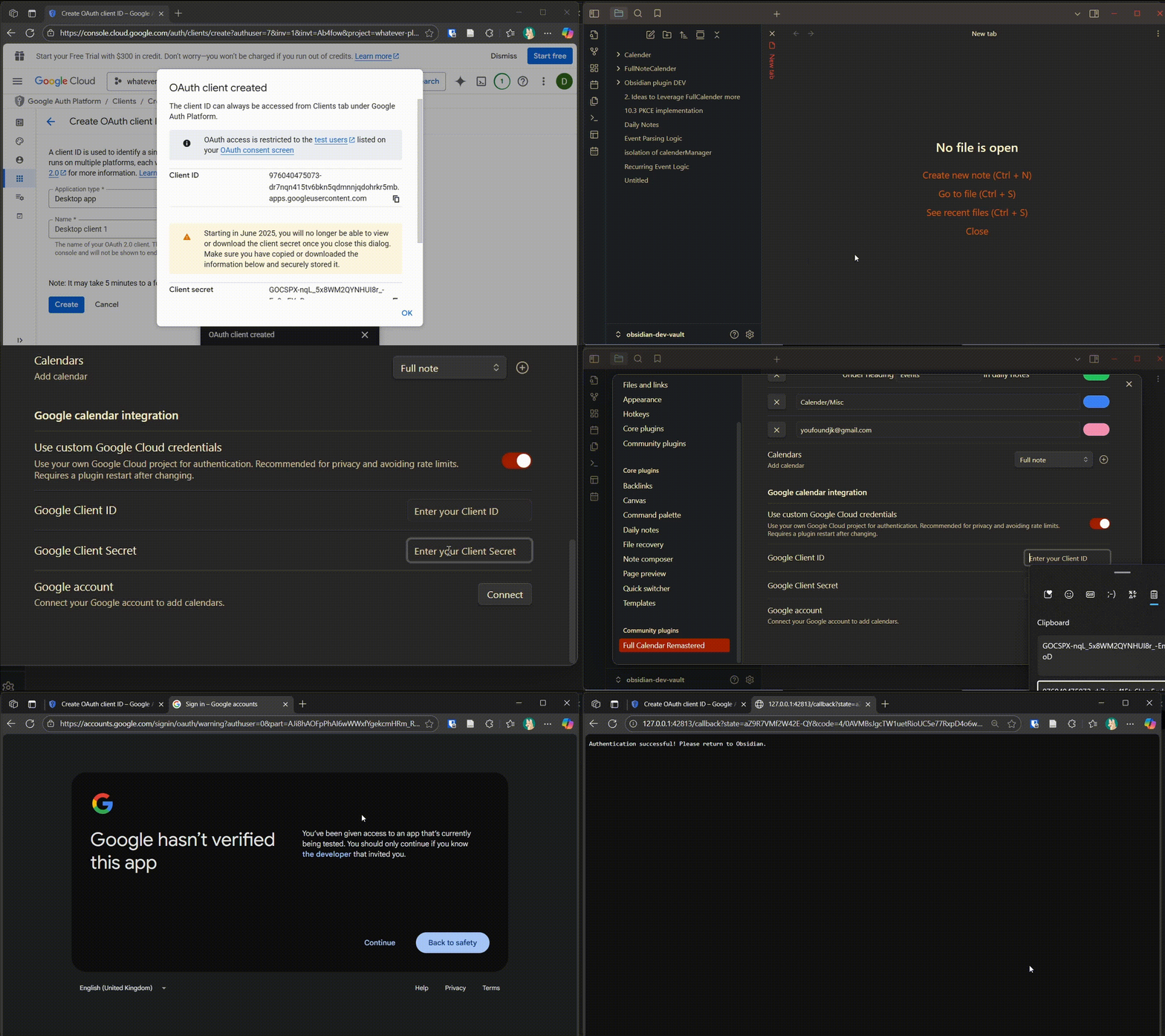
6️⃣ Add Your Client ID and Secret to the Plugin
Feature Notes
- Two-Way Sync: Changes made in Obsidian (create, edit, delete) are instantly reflected in Google Calendar.
- Google Tasks Coexistence: Connecting Google Tasks under the same Google account is fully safe. Each provider requests only its own OAuth permissions, and the plugin automatically preserves both providers' access — connecting Tasks never removes your Calendar authorization, and vice versa.
- Video Conferencing: Automatically extracts meeting links (e.g., Google Meet, Zoom) from
conferenceDataand injects them into the event's location or description (rendered as clickable hyperlinks in the Event Details modal). See the Video Conference & Linkification Guide. - Recurring Events: Supports exceptions and cancellations. Deleting a single instance in a series creates a proper "cancelled" instance in the Google API.
- Timezone Management: Events are normalized to your Display Timezone while respecting the original source timezone for recurrence rules.
- Event Linked Notes: Keep rich local meeting notes or agendas connected directly to remote Google Calendar events with automated template population. Name-based mode reuses the exact sanitized title file; deadline-based mode can keep recurring occurrences separate. See the Event Linked Notes Guide for details.
- Mobile Support: On iOS/Android, the login flow opens a browser tab to perform OAuth. If iOS Safari or Obsidian's environment blocks the popup window, Full Calendar automatically detects this and presents an interactive copy-paste authorization modal so you can complete sign-in without getting stranded.
Troubleshooting & Manual Authorization
- Manual Authorization: See the Central Troubleshooting Guide for help with OAuth redirects, popup blocking fallbacks, and manual copy-paste login.
- Android and iOS Authentication Workaround: For step-by-step instructions on authenticating Google Calendar/Tasks on mobile devices using vault synchronization, see Mobile Authentication Workaround.