Remote / Local calendars in .ics format
Add any calendar in .ics format to Obsidian — whether it is a local .ics file stored in your vault (e.g. Calendars/my-schedule.ics) or a remote URL.
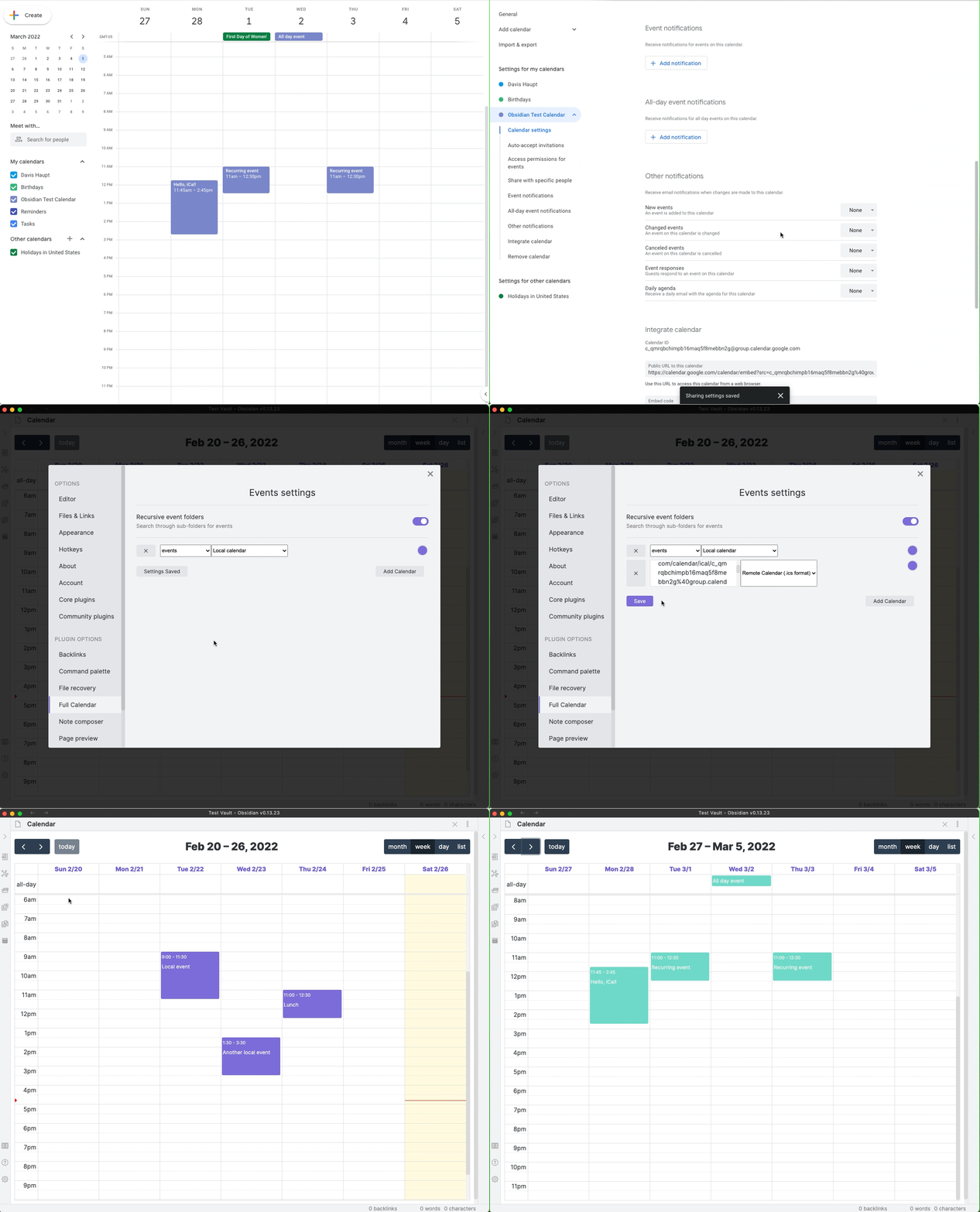
This includes public calendars like this one of US holidays, but also includes private Google Calendars and public Apple Calendars. The walkthrough below shows where to find a Google Calendar's private .ics link, and how to add it to Obsidian, but any URL or local path will work just as well.
Local .ics Files
To use a local file, simply enter its relative path from the vault root (for example: Calendars/export.ics). The plugin reads it directly from your vault without needing external network access.
Refreshed
Calendars are re-fetched automatically from their source at most every five minutes.
Command Pallette
Use Full Calendar: Revalidate remote calendars to manually revalidate remote calendars directly.
Note: webcal:// links are automatically converted to https:// when added.
Read-only and timezone behavior
- ICS calendars are read-only inside Obsidian.
- Video Conferencing & Links: Extracts meeting URLs from RFC 7986
CONFERENCEattributes or Microsoft Teams specific fields, merging them directly into the parsed location or description. Injected URLs and description links are fully clickable inside the Event Details modal. For details, see Video Conference & Linkification Support. - Events are parsed with their source timezone (including TZID/UTC) and converted to your Display Timezone for viewing.
- Cancellations/exceptions present in the feed are respected.