Manage events on the calendar
In addition to clicking on events to edit them directly, you can click-and-drag on events to change their characteristics as well.
Moving events
Move an event around on a day or between days. This works just as well with all-day events.
- Lossless Updates: Dragging an event preserves all existing details—including multiline descriptions, locations, categories, and custom note frontmatter—without accidental overwrites.
- Recurring Instance Overrides: Moving a single occurrence of a recurring series creates an isolated single-event override, keeping the parent recurrence rule and all future dates intact.
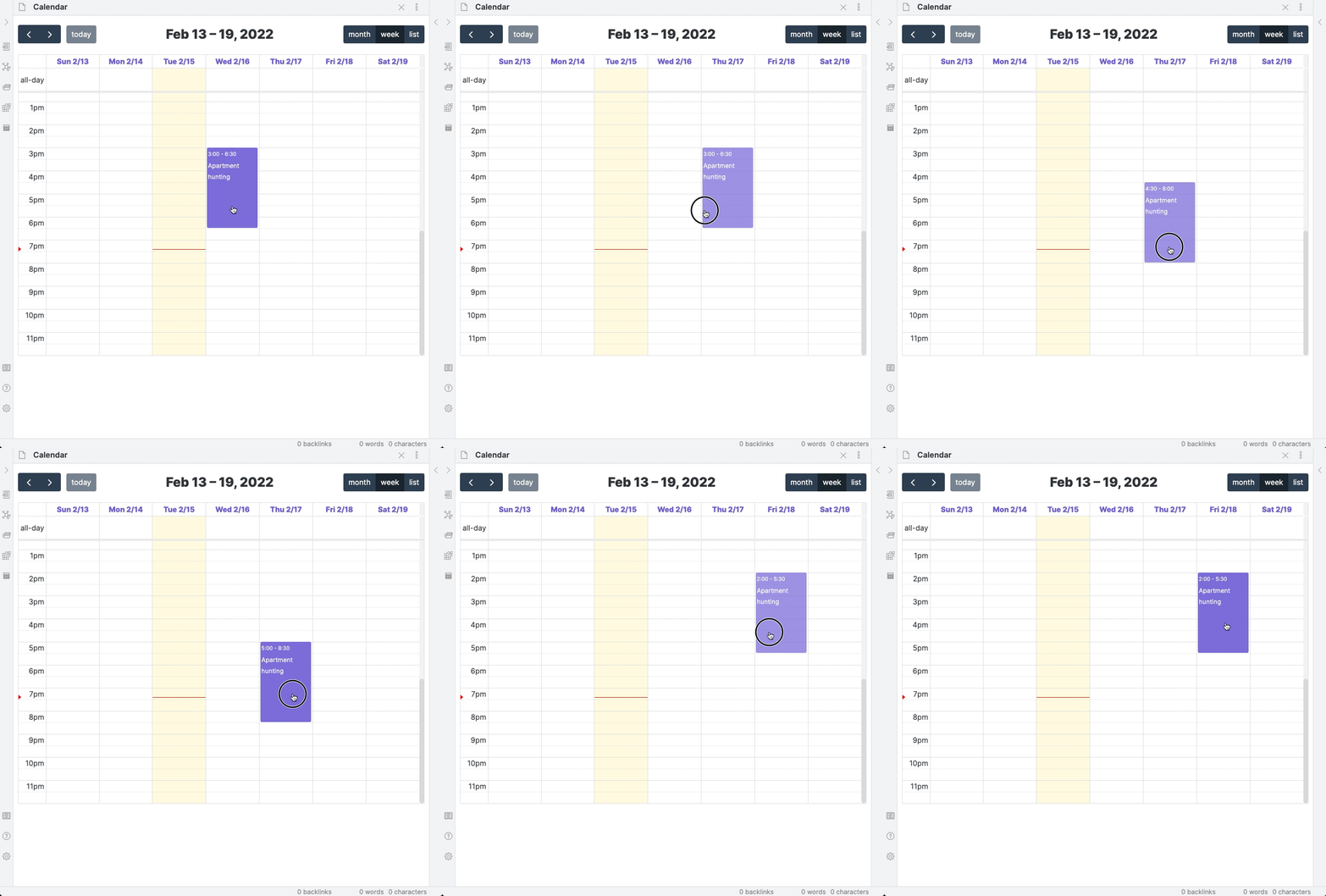
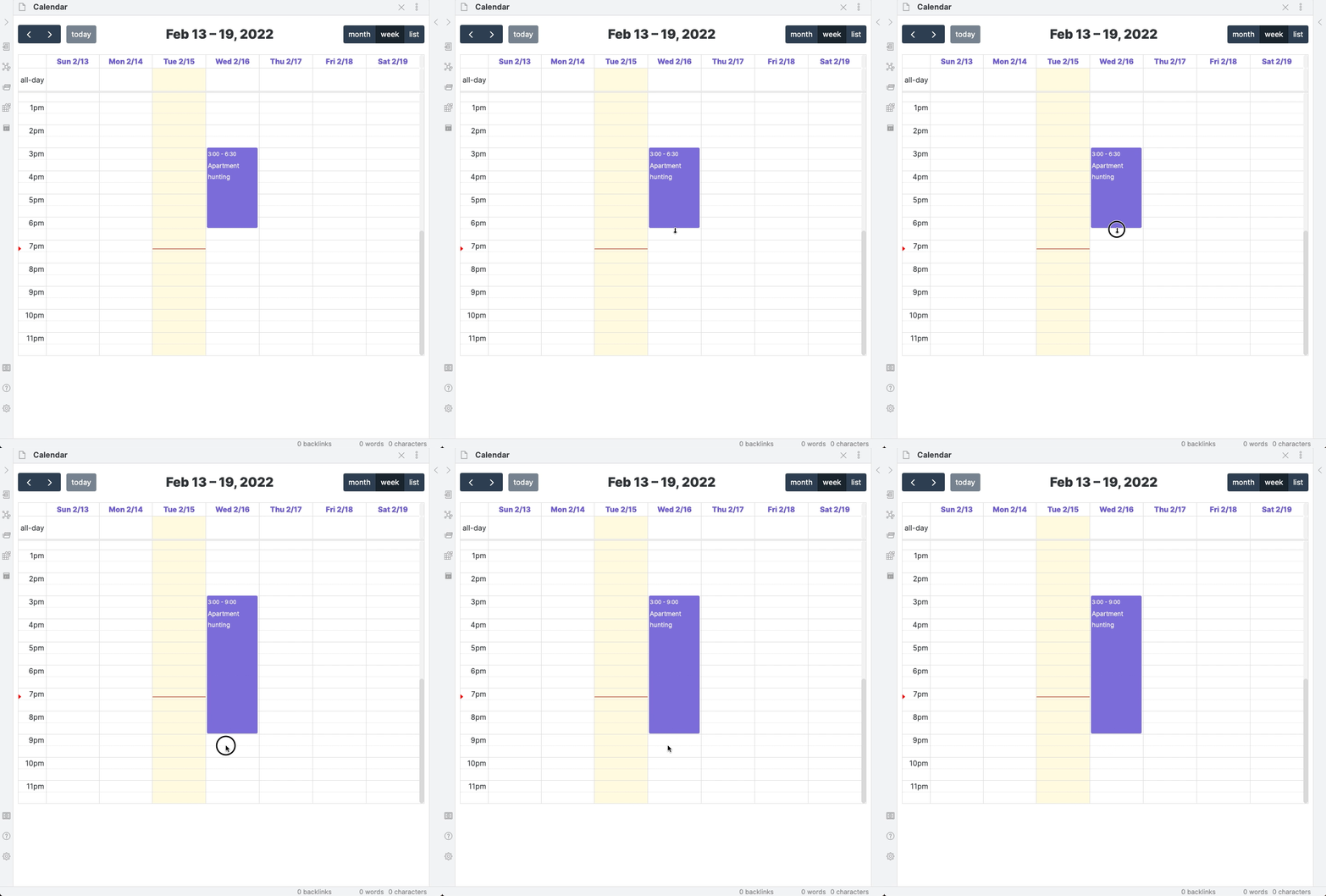
Drag to change duration
Drag the endpoint of an event to adjust its start or end time.
- Like moving, resizing preserves all event descriptions, locations, and custom metadata.
- Resizing a single occurrence of a recurring series safely isolates the change to that instance without altering the rest of the sequence.
Quick Context Menu Actions
In addition to direct click-and-drag interactions, right-clicking an event opens the Context Menu to launch meeting/location URLs in your browser, open linked notes, or delete specific occurrences.
Creating and editing: validations and duplicates
When using the modal to create or edit an event, the plugin validates inputs in real time:
- Duplicate detection: If an event with the same date and final title would collide in its target calendar:
- Full Note calendars: creation is blocked because the underlying filename would be identical (see below).
- Daily Note calendars: duplicates are not allowed; another list item with the same visible title on that date under the configured heading will be flagged.
- Note: Duplicate checks in Daily Notes compare the visible title (category prefix is ignored if Advanced Categories are enabled).
- Category-aware titles: If Advanced Categories are enabled, the Title field accepts "SubCategory - Title" and the Category is selected separately. The plugin reconstructs the full title when writing.
- Literal titles when disabled: If Advanced Categories are disabled, the Title field is treated as plain text and is not split by
-.
Limitations applied by calendar type during editing:
- Daily Note calendars do not support recurring events or multi-day single events.
- Recurring instance overrides inherit some properties (e.g., title/category) from the parent; attempting to edit those fields prompts to open the parent.
Redesigned Event Modal UI
The Event Creation and Editing Modal has been redesigned to offer a modern, clean, and premium experience:
- Unified, Clean Design: Legacy grey horizontal dividing borders between form fields have been removed. The layout relies on native theme-consistent spacing to look cohesive and uncluttered.
- Collapsible Advanced Options: To keep the interface focused and simple, less frequently used configurations—such as Display (calendar appearance) and Repeats (recurrence patterns)—are grouped inside an Advanced Options panel at the bottom of the form. This panel is neatly styled and folded/closed by default.
- Adaptive Spacing: Spacing adapts cleanly whether Advanced Categories or Background Events are toggled on or off, keeping only the most relevant fields immediately visible.
- Full Internationalization (i18n): The entire modal form, including tooltips, select presets, dropdown items, and placeholders, is fully translated across English, German, Spanish, French, Italian, and Chinese.
Moving between calendars
- Currently, moving events is supported between Full Note calendars only. Moving to or from a Daily Note calendar is not supported.
Video Conference & Linkification Support
When clicking on an event to view its details, the Event Details modal automatically linkifies URLs to make them clickable:
- Universal Linkification: Any valid HTTP/HTTPS URLs present in the event's
locationordescriptionfields are rendered as clickable hyperlinks (<a>tags) instead of plain text, allowing you to open them directly in your default browser. - Auto-Injection of Video Conference Links: When syncing with remote calendars, video conference links (such as Google Meet, Zoom, Webex, Microsoft Teams, Jitsi, or Discord) are extracted from their API-specific structures (like Google's
conferenceDataor Outlook'sonlineMeetingUrl) or parsed from iCalendar properties. - If the event's
locationfield is empty, the conference URL is stored directly in thelocationfield. - If the event's
locationis already filled (e.g. with a physical room), the meeting link is cleanly appended to the end of thedescriptionfield prefixed withmeeting URL:.