Explore pre-configured dashboard setups and copy-paste templates to build beautiful, functional interfaces inside your daily logs, project homepages, or central command notes.
Get Showcased
submit your own in Discussions and get it showcased here! Do not forget to include screenshot as well as the code block, and any other plugins or setups essential for reproducing your dashboard.
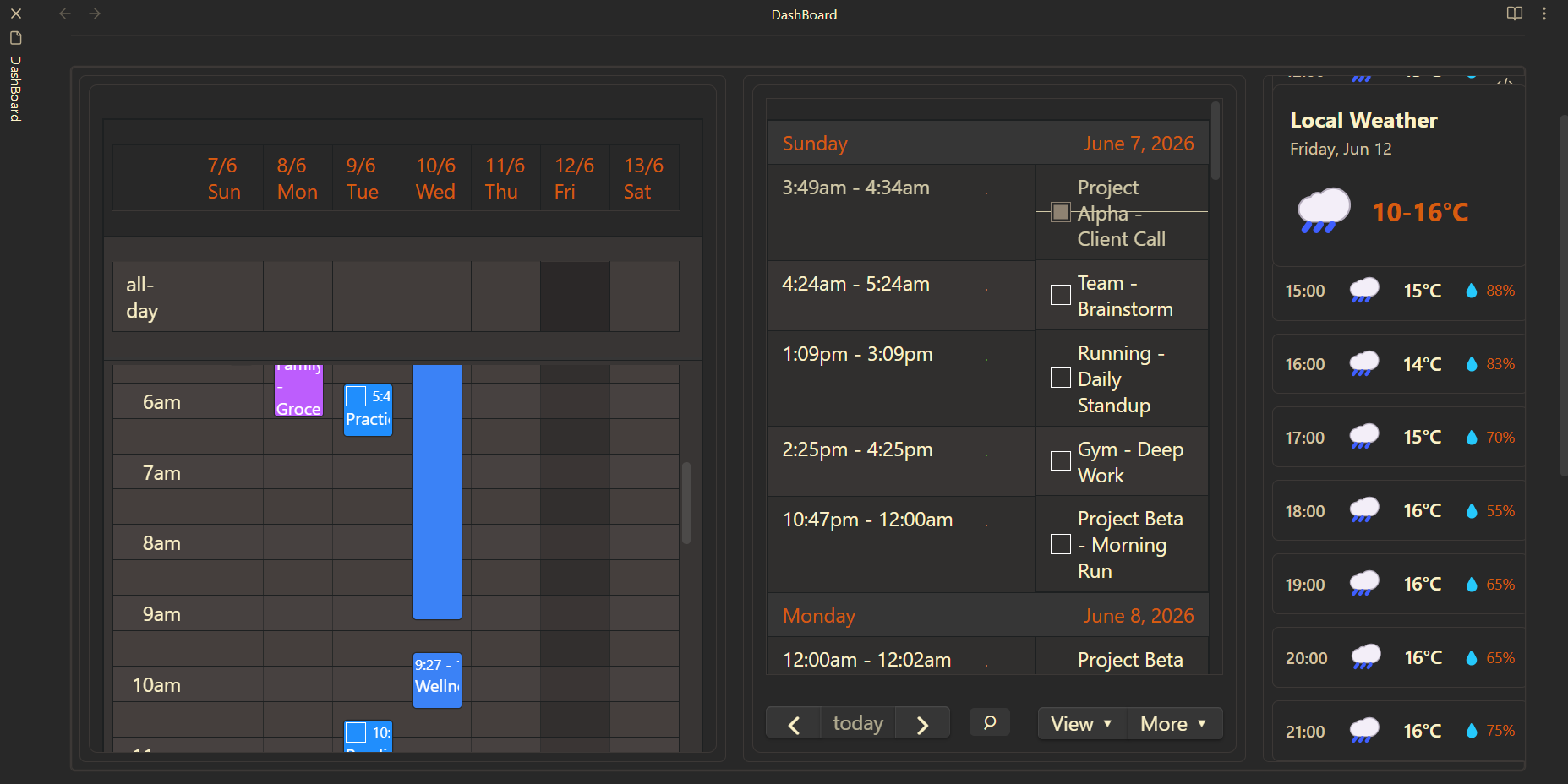
A multi-column setup combining a weekly planner, work focus agenda list, and a daily weather forecast.
Daily Planner Companion
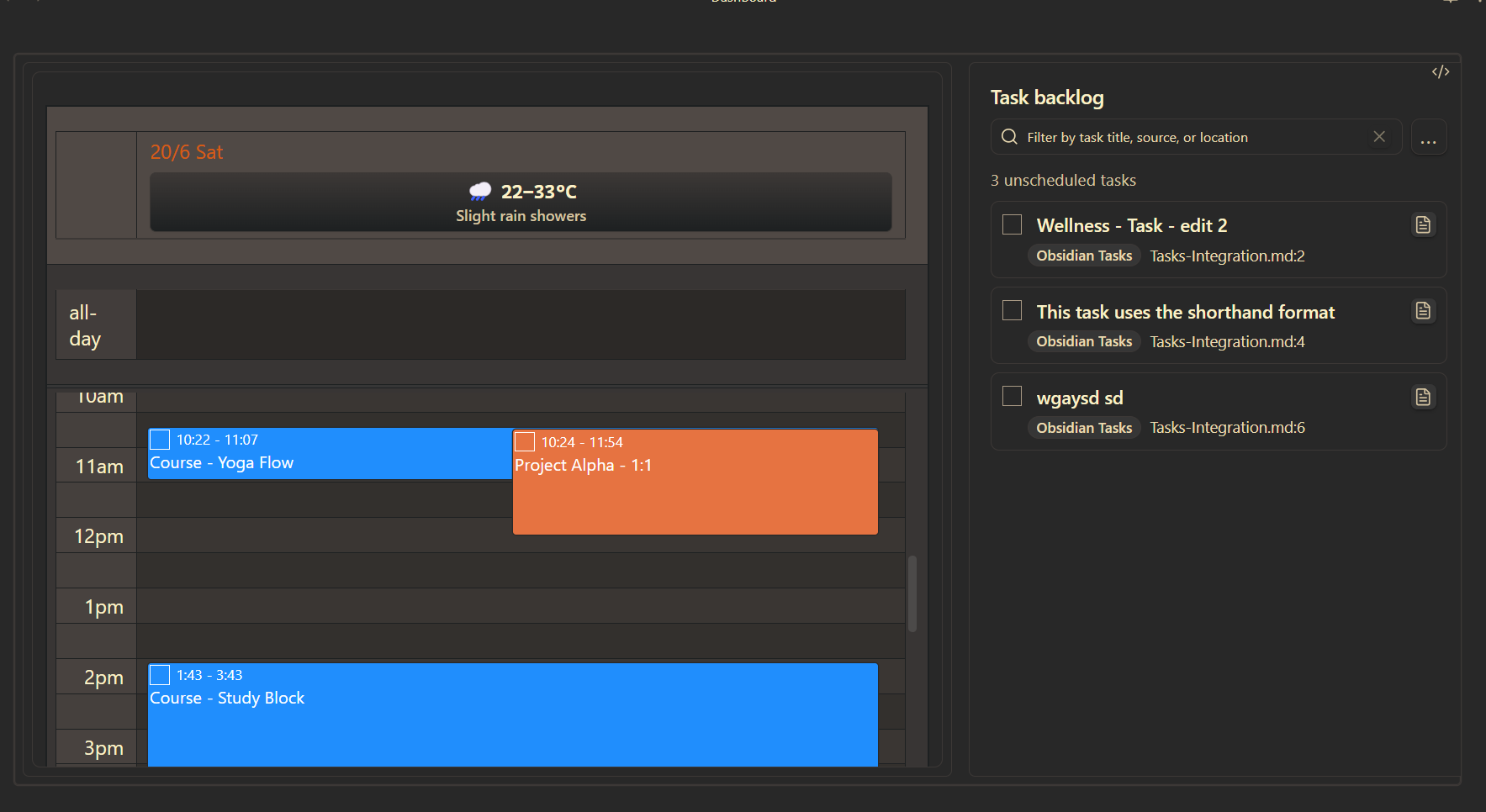
A split daily dashboard pairing a focused day timeline with an unscheduled task backlog.
Homepage Command Center
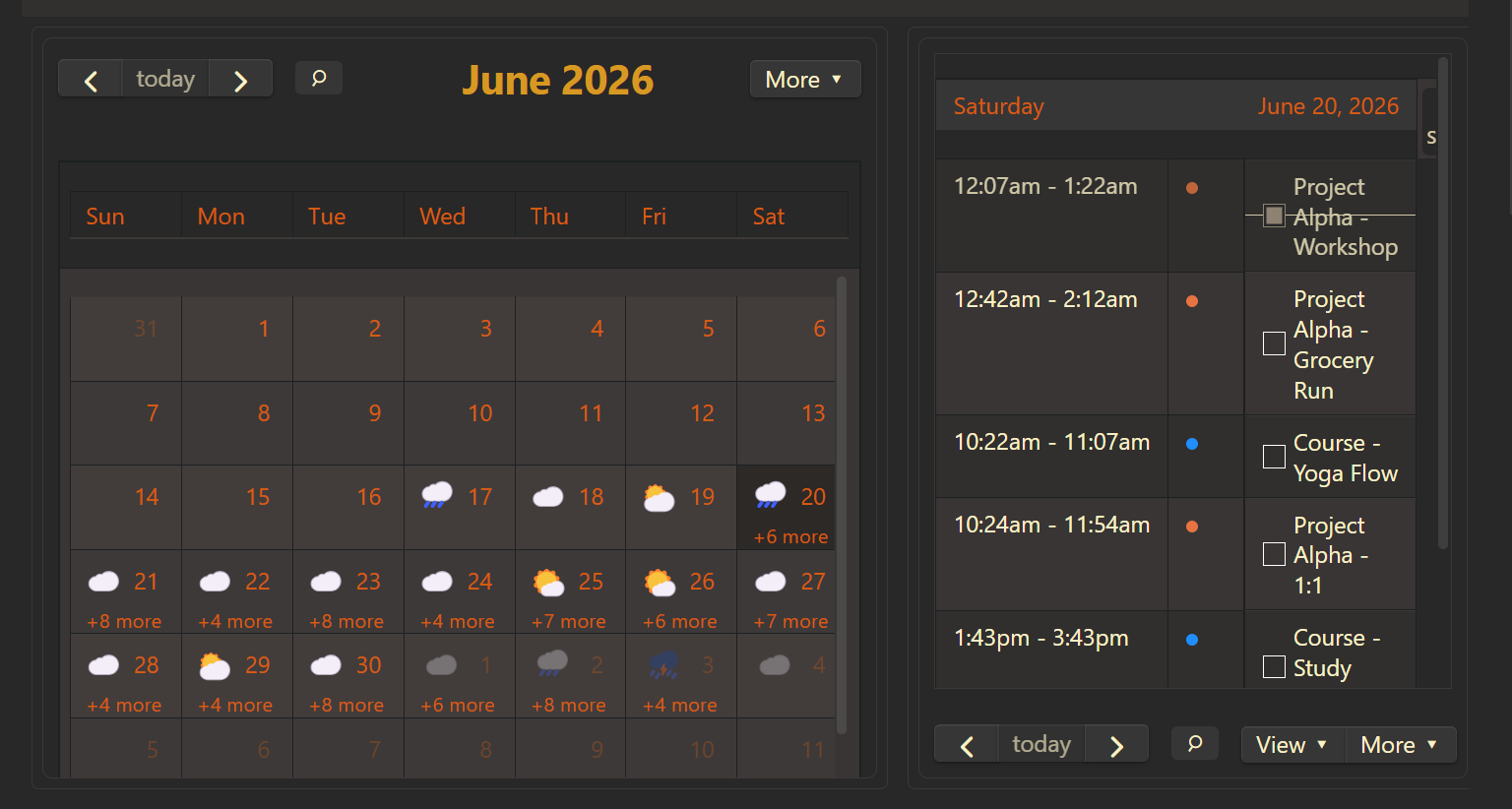
Pairs a month overview grid with a weekly agenda panel, enhanced by custom event styling.
Multi-View Daily Planner
Designed for daily note dashboards. It locks to the note's date automatically and displays your week's calendar, a list of your weekly goals/tasks, and your weather updates side-by-side using Obsidian Gruvebox theme v0.2.1.
Key Features
Automatic Date Locking: Syncs seamlessly to the active note's daily date anchor.
Multi-View Layout: Combines timeGridWeek, listWeek, and vertical weather side-by-side.
Optimized Dimensions: Customized panel widths for responsive visual hierarchy.
Configuration Code
defaultDate: auto    # Automatically locks to the date of your Daily Note!
calendars:
  -
height: 650px
layout:
  orientation: horizontal
  views:
    # Column 1: Daily Schedule
    - view: timeGridWeek
      width: 45%
      weather: false
      header: false

    # Column 2: Weekly Work Focus List
    - view: listWeek
      width: 35%
      weather: false
      header: true

    # Column 3: Weather
    - view: weather
      type: day
      orientation: vertical
      width: 20%
Daily Planner Companion
Built for daily note dashboards. It auto-locks to the active note date, keeps your day timeline in one pane, and places the task backlog beside it so planning and triage happen together using Obsidian Gruvebox theme v0.2.1.
Key Features
Automatic Date Locking: Uses defaultDate: auto to sync to the active Daily Note context.
Planning + Backlog Workflow: Combines a timeGridDay calendar panel with a dedicated backlog panel.
Balanced Two-Column Layout: Uses a 65/35 split so scheduling stays primary while backlog actions remain visible.
Built for dashboard-style planning pages. It keeps a compact month calendar on the left and a list-based week agenda on the right, giving you both macro visibility and upcoming detail in one glance using Obsidian Gruvebox theme v0.2.1.
Key Features
Two-View Command Layout: Combines dayGridMonth and listWeek in a side-by-side dashboard.
Balanced Month-to-Agenda Split: Uses a 60/40 width ratio so monthly context stays prominent while upcoming items remain readable.
Custom Milestone Styling: Applies list-view event color overrides for stronger visual emphasis on priority entries.