Display & Behavior Settings
Philosophy
Tune the visual experience and interaction logic of your calendar. These settings impact how time is represented and how you interact with the calendar grid.
Time & Dates
-
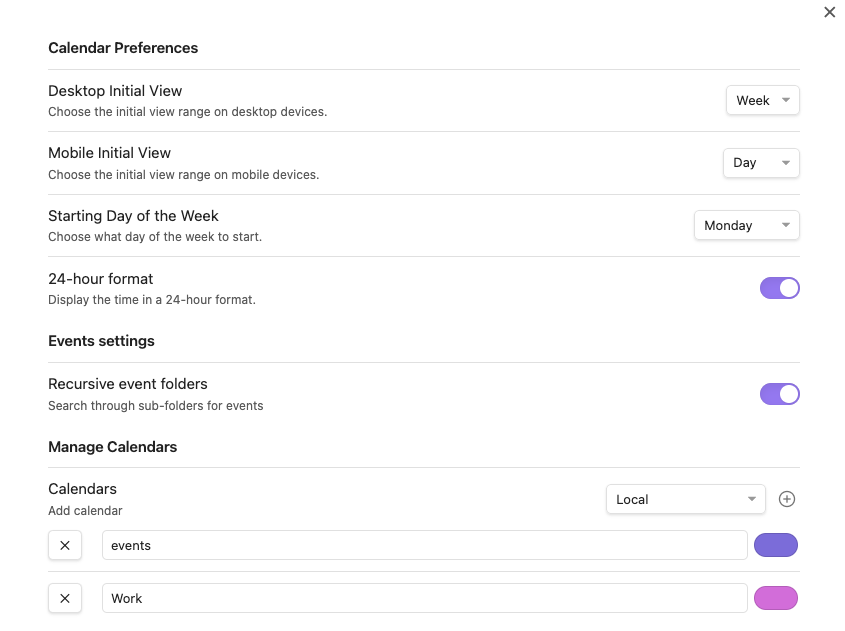
24-Hour Time: Toggle between AM/PM and 24h military time.
System Locale & Environment Override
Many underlying date and time format properties (like 24-hour display and day/month/year order) are inherited directly from your operating system's locale settings via Obsidian.
If you want to use the English interface but force 24-hour time and the day/month/year (DD/MM/YYYY) formatting on Linux or macOS, you can launch Obsidian with the
LANGenvironment variable set toen_DK.UTF-8:LANG=en_DK.UTF-8 obsidianFor more details and community discussion on this setup, see GitHub Issue #272, Comment 4529803759.
-
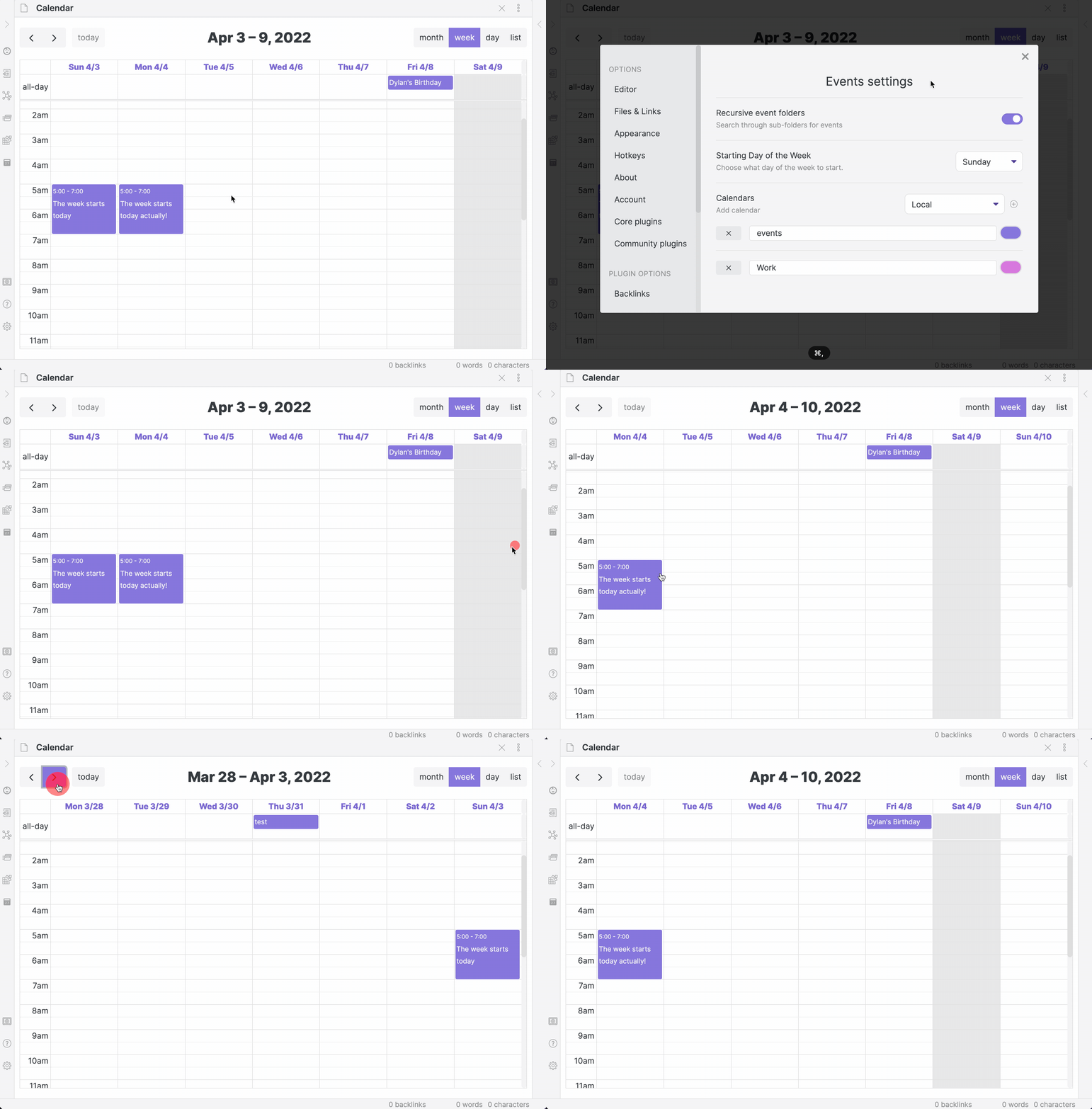
First Day of Week: Choose which day (Sunday, Monday, etc.) starts your week view.
-
Display Timezone: Anchor the entire calendar to a specific timezone. Defaults to your system timezone. See Timezone Support.
View Constraints & Limits
These settings allow you to focus on your active hours and clean up the UI:
- Slot Min/Max Time: Set the start and end of the visible day (e.g.,
08:00to20:00). - Show Weekends: Toggle the visibility of Saturday and Sunday.
- Hidden Days: Precisely hide specific days of the week (0=Sun, 1=Mon, etc.).
- Show All-Day Slot: Toggle the all-day event row in week/day views.
- Day Max Events: In Month view, limit the number of events shown per day before showing a "+ more" link.
Interaction & UI
- Click to Create Event (Month View): If enabled, clicking an empty date cell in month view immediately opens the event creation modal.
- Milestones and Progress: Open the milestones page from Appearance to review read-only progress cards and unlock status. See Milestones and Progress.
- Initial View (Desktop/Mobile): Define which view mode (e.g.,
timeGridWeek,listMonth) the plugin opens by default on different devices. - Show Event in Status Bar: Display the current or upcoming event in the Obsidian status bar. See: Status Bar Integration.
- Highlight Current/Next Event: Visually emphasize the event happening now or starting soon.
- Enable Live Preview Event Decoration: Toggle Live Preview editor decorations on or off. Disabling this option completely turns off CodeMirror event pills and header cards, allowing you to edit raw markdown task items (
- [ ]) and daily notes without visual replacement. - Header Date Format: Choose from several presets for how dates appear in column headers (e.g.,
Wed 4/9). - Run & View Load Debug Benchmark: Run an on-demand benchmark measuring startup, stage loading, and individual calendar provider execution timing. Opens a copyable report modal with zero ongoing background overhead.
Global Overrides
- Business Hours: Define your working hours and days. If enabled, non-business hours will be visually dimmed in the calendar grid.
- Background Events: Enable or disable the rendering of background-style events (e.g., from ActivityWatch).